Flows
Listing flows
The wmill flow list command is used to list all flows in the remote workspace.
wmill flow
Pushing a flow
Pushing a flow to a Windmill instance is done using the wmill flow push command.
wmill flow push <file_path> <remote_path>
Arguments
| Argument | Description |
|---|---|
file_path | The path to the flow file to push. |
remote_path | The remote path where the flow specification should be pushed. |
Examples
- Push the flow located at
path/to/local/flow.yamlto the remote pathf/flows/test.
wmill flow push path/to/local/flow.yaml f/flows/test
Creating a new flow
The wmill flow bootstrap command is used to create a new flow locally.
wmill flow bootstrap [--summary <summary>] [--description <description>] <path>
Arguments
| Argument | Description |
|---|---|
path | The path of the flow to be created. |
Examples
- Create a new flow
f/flows/flashy_flow
wmill flow bootstrap f/flows/flashy_flow
Running a flow
Running a flow by its path is done using the wmill flow run command. Logs are streamed step-by-step with labeled headers showing each module's ID and summary. For-loop iterations are tracked individually as they complete.
wmill flow run <remote_path> [options]
Arguments
| Argument | Description |
|---|---|
remote_path | The path of the flow to be run. |
Options
| Option | Parameters | Description |
|---|---|---|
-d, --data | data | Inputs specified as a JSON string or a file using @filename or stdin using @- . Resources and variables must be passed using "$res:..." or "$var:..." For example wmill flow run u/henri/message_to_slack -d '{"slack":"$res:u/henri/henri_slack_perso","channel":"general","text":"hello dear team"}' |
-s, --silent | Do not ouput anything other then the final output. Useful for scripting. |
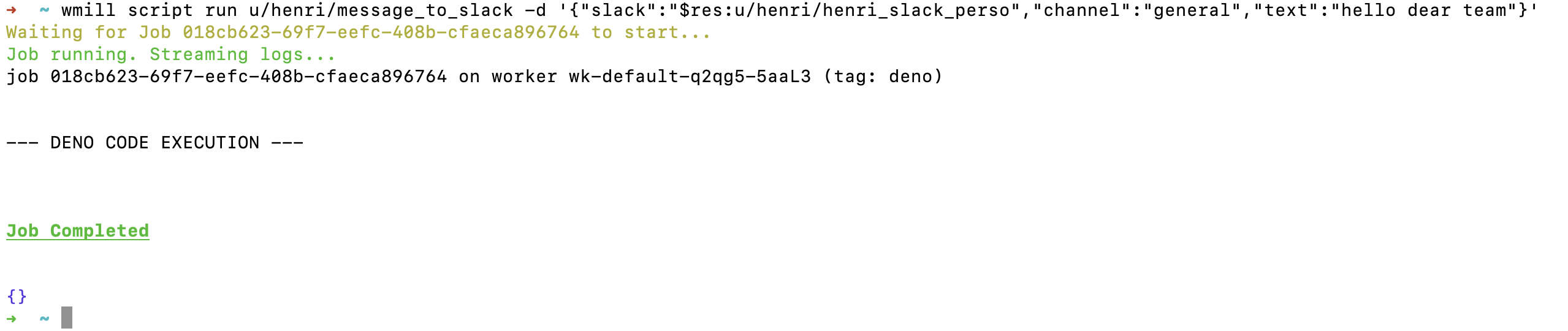
Use wmill job get <job_id> to see a hierarchical step tree with status and durations, or wmill job logs <job_id> to see aggregated logs from all steps. See Jobs for details.
Update flow inline scripts lockfile
Flows inline script lockfiles can be updated locally using the wmill generate-metadata command:
wmill generate-metadata
This command handles scripts, flows and apps in a single pass. To only update flow lockfiles, use:
wmill generate-metadata --skip-scripts --skip-apps
Prior to the unified command, this was done with wmill flow generate-locks. This command is now deprecated but still works.
Flow specification
You can find the definition of the flow file structure here.
Remote path format
<u|g|f>/<username|group|folder>/...